Your people, in one calm place.
Who works here, who is away, who is joining and how everyone is growing. Personal details, pay and documents are seen only by HR and the person they belong to.
Included in Dazr Starter, Pro and Enterprise. 14 days free, cancel any time.
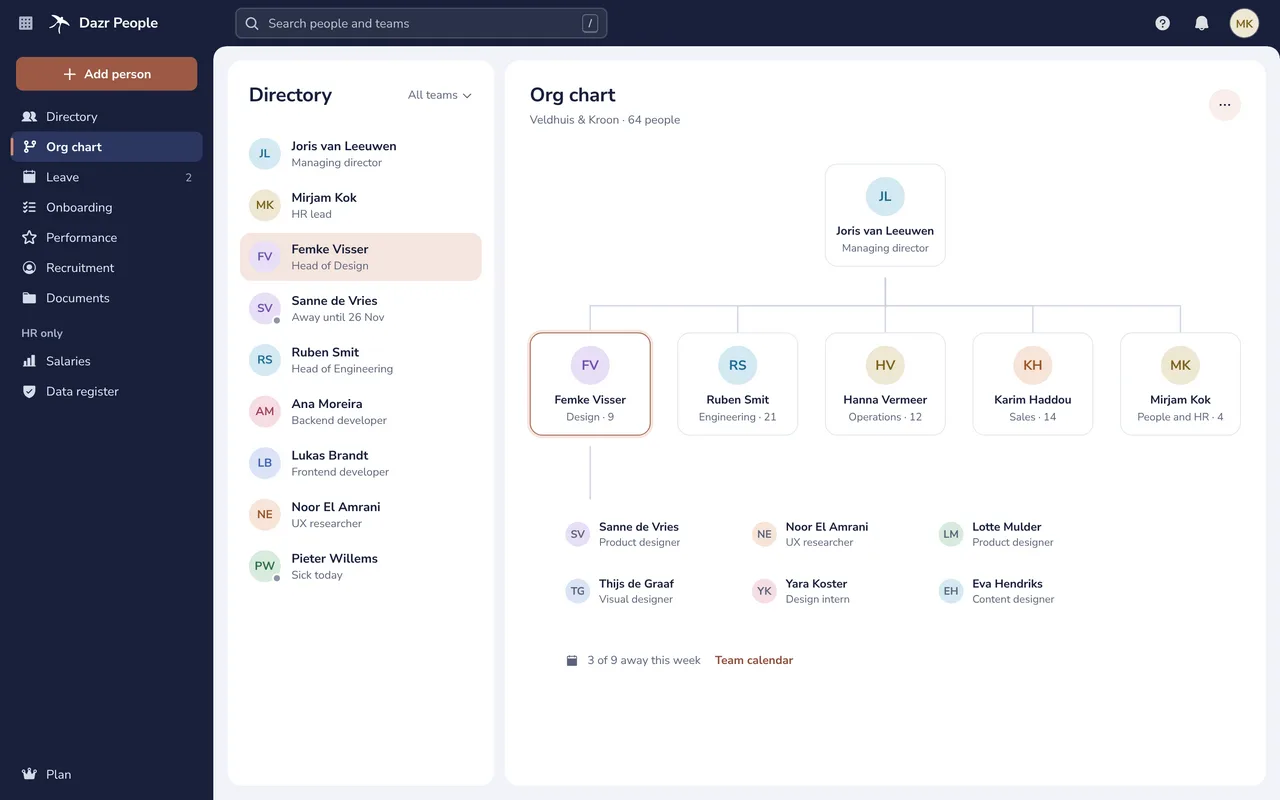
Everyone, and who they work with.
The directory and the org chart, always up to date.
Name, job, team, manager, office and work days. Colleagues see who is away until when, never what kind of leave.
Open a team to see its people, who is away this week and the team calendar.
People come from your organisation in Dazr Identity. Someone who leaves loses access the same day.
Private things stay private.
Each field is shown only to the people who need it.
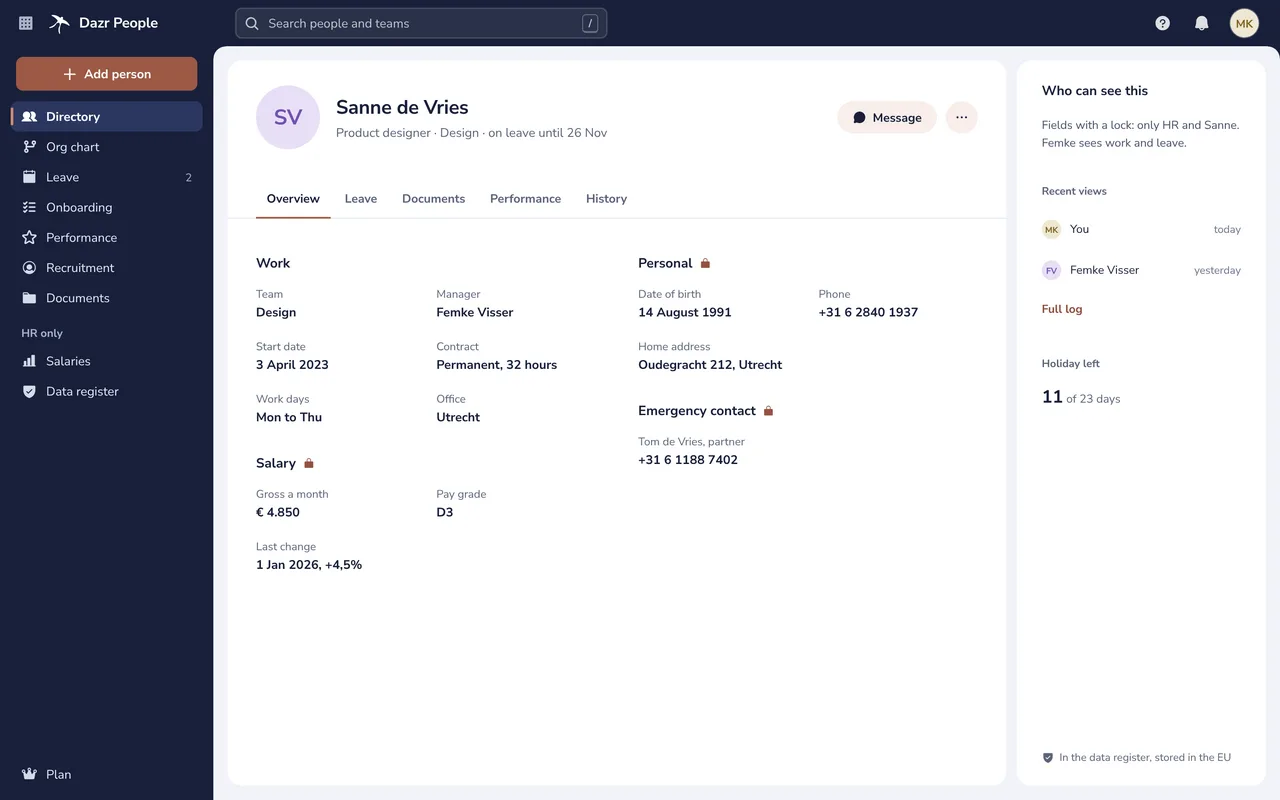
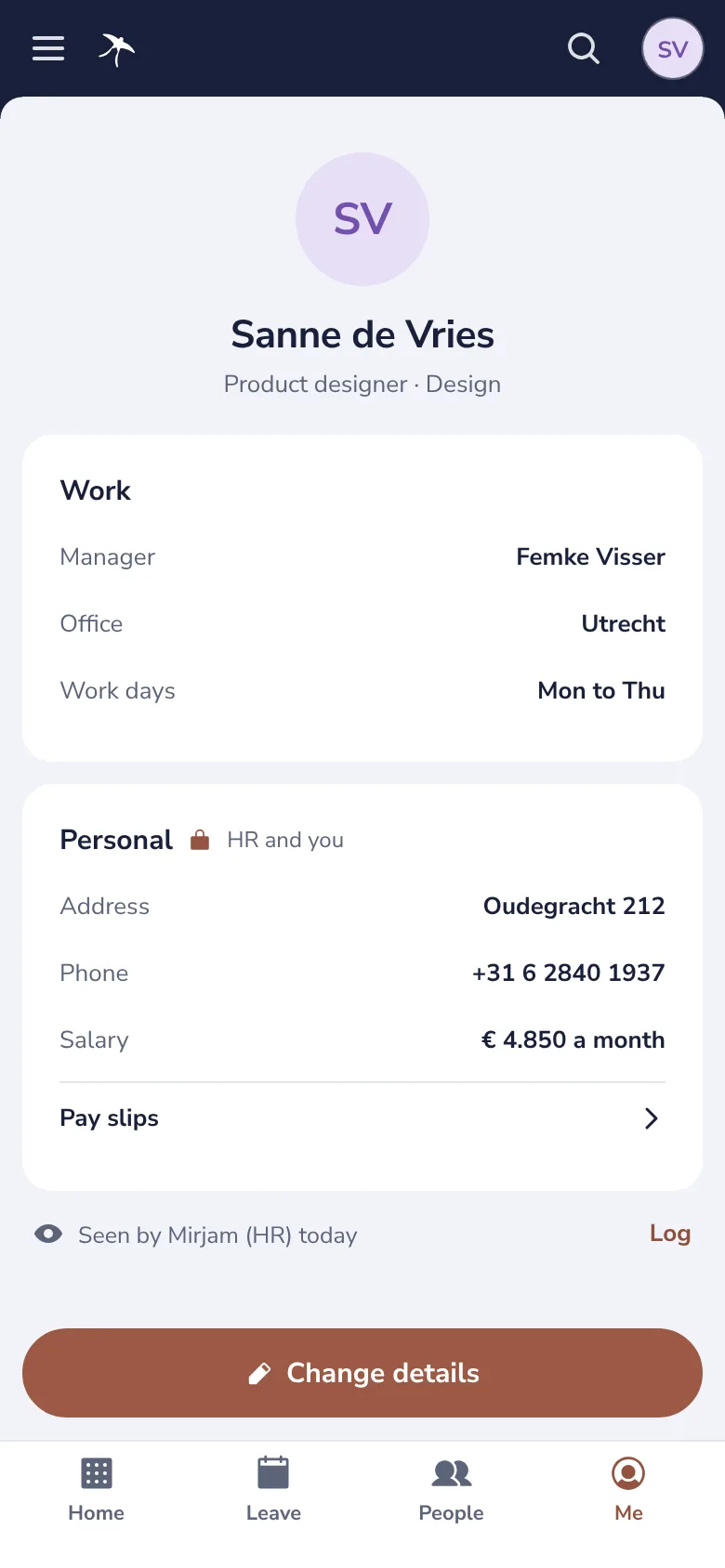
Salary, date of birth, address, emergency contact and pay slips: only HR and the person. A manager sees work and leave.
Everyone sees who viewed their own record. HR has the full access log, kept for two years.
No citizen service number on the profile, no reason for sickness, no diagnosis. Less data, less to protect.
Leave, approved in one click.
The team calendar shows who is away, and a request says what it means for the team.
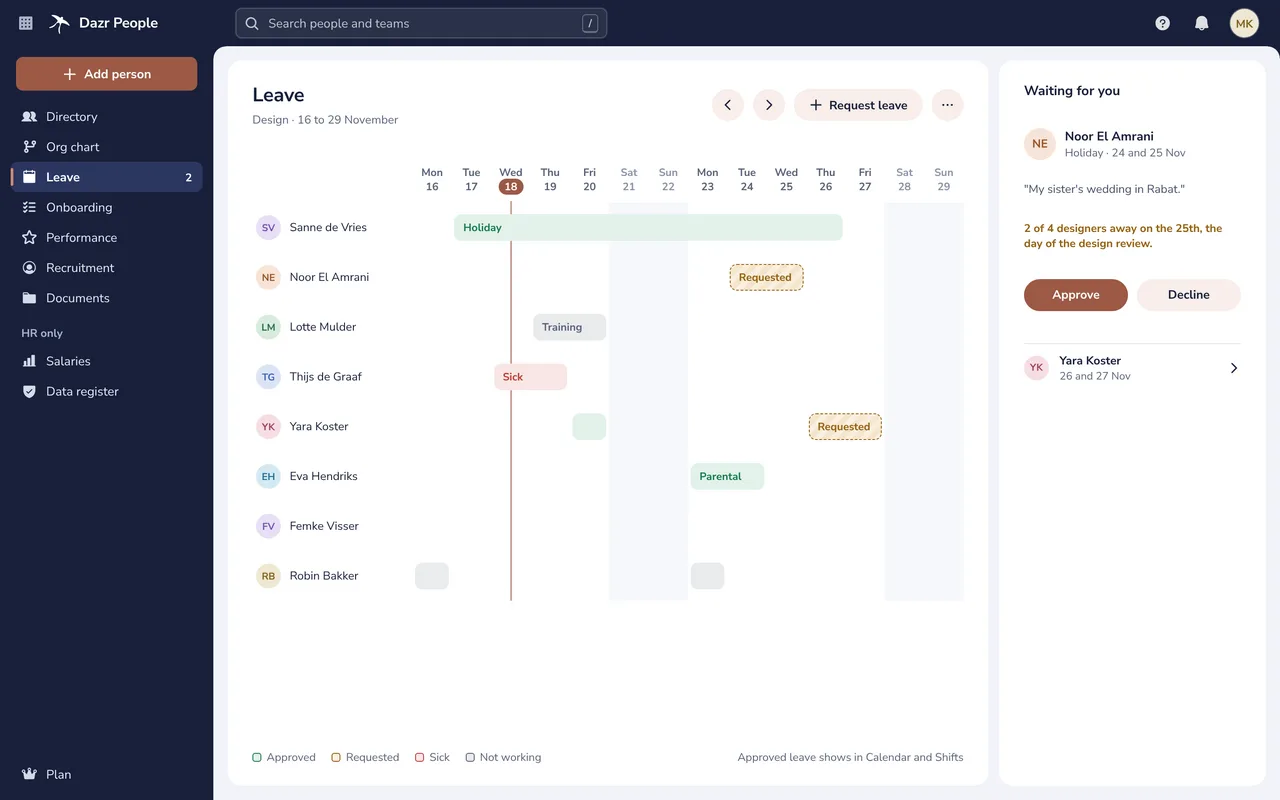
Holiday, parental leave, training and more. The manager sees the overlap with the team before approving or declining.
A sick report records only that someone is sick and since when. Dazr People never asks for a reason or a diagnosis.
Holiday left per person, counted on their own work days, with the public holidays of your country.
A good first day.
One checklist for everyone who joins or leaves.
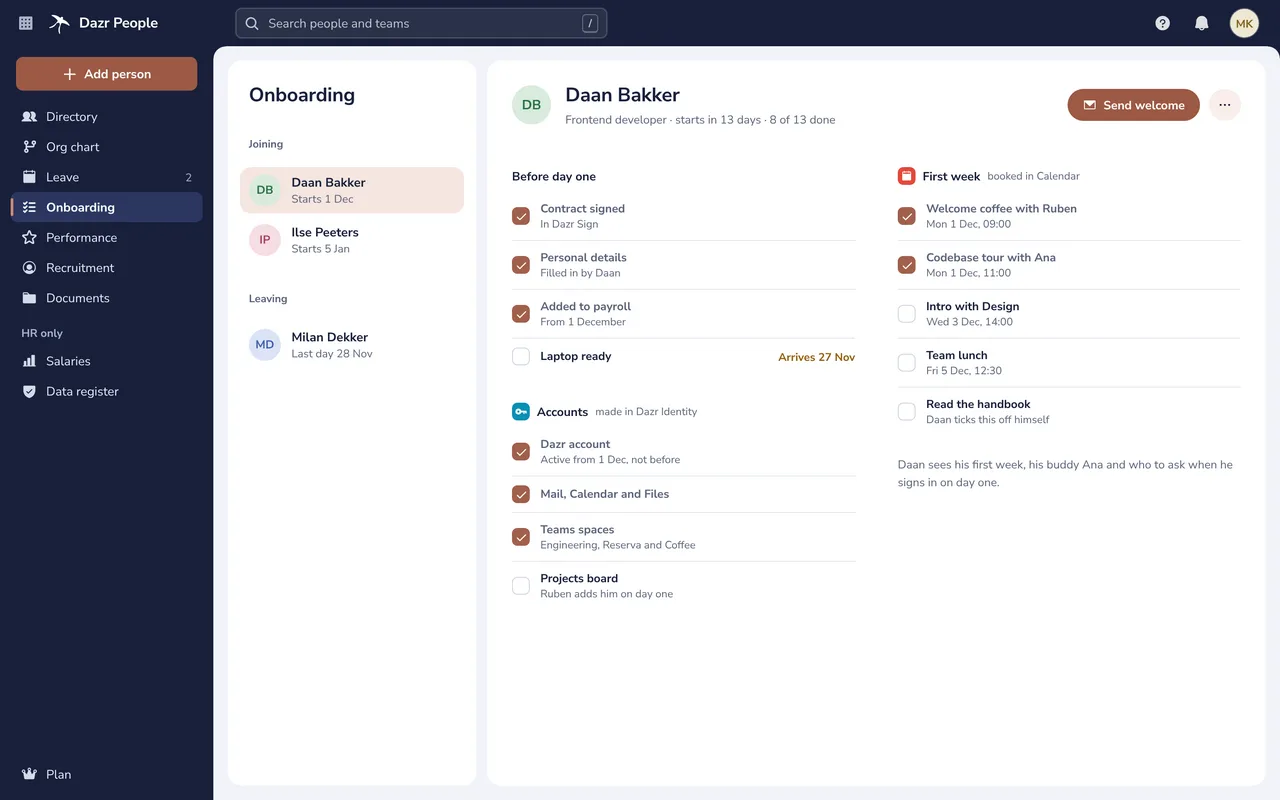
The contract in Dazr Sign, personal details filled in by the new colleague, payroll and a laptop.
The Dazr account is active from the first day, not before, and closes on the last day.
Meetings for the first week in Dazr Calendar, Teams spaces to join and a welcome email from HR.
Growing, together.
Reviews, goals and 1:1s that stay between the people involved.
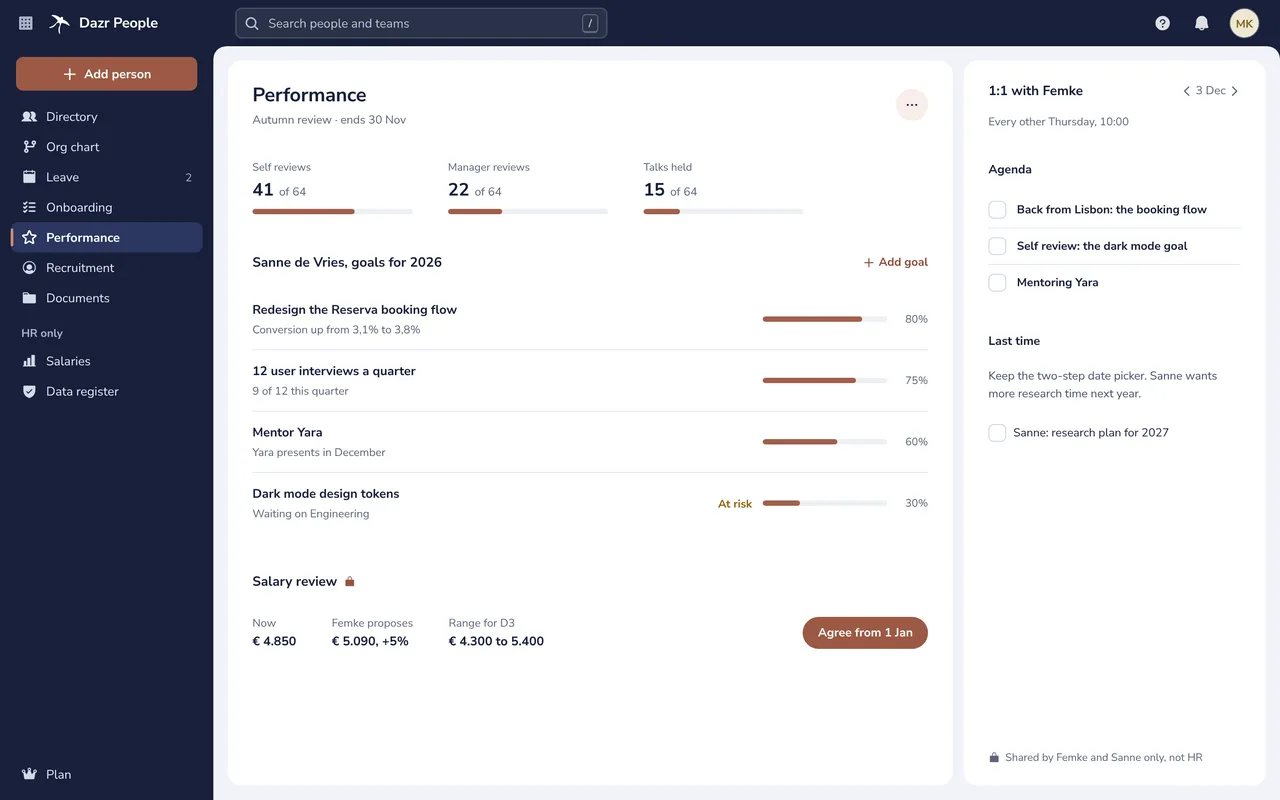
The review cycle, goals with their progress and a salary review: proposed by the manager, agreed by HR.
An agenda, notes and action items for each 1:1, seen only by the person and their manager.
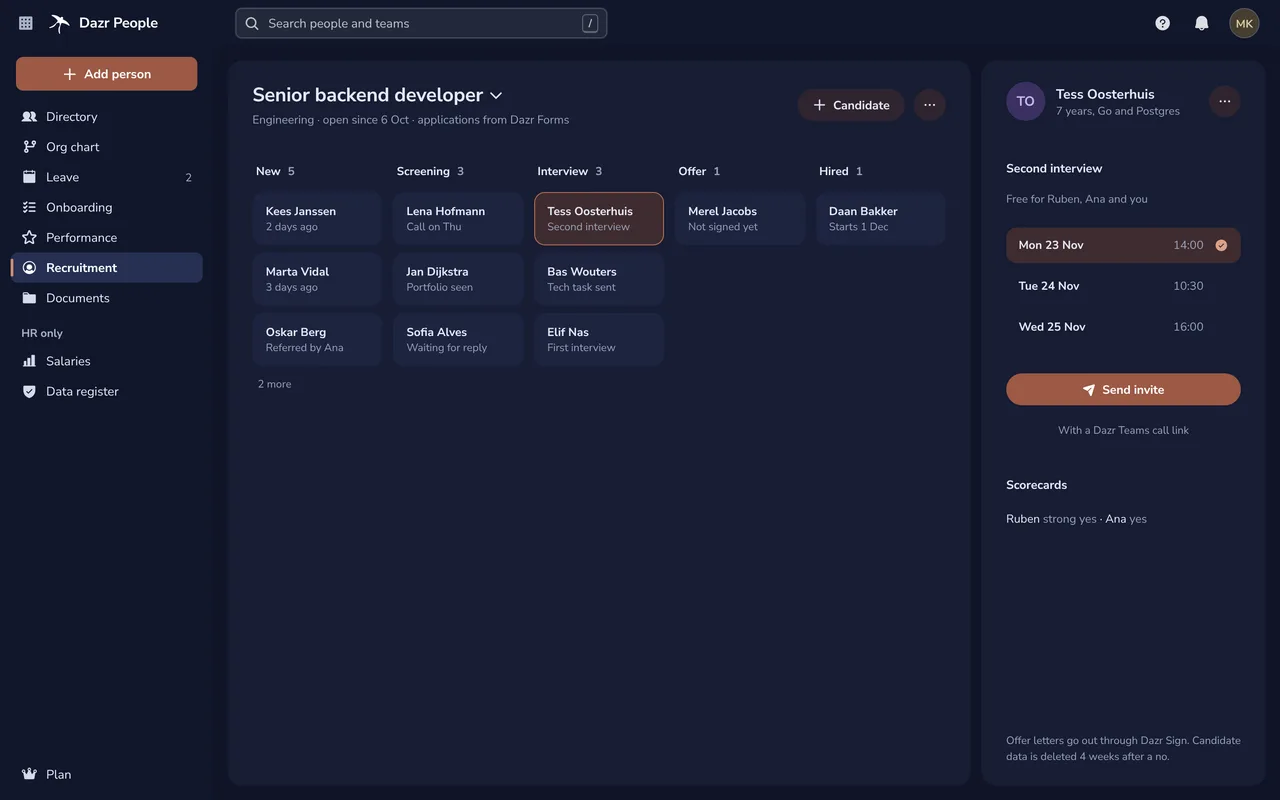
Candidates per stage, interviews in Calendar with a Teams call, scorecards and the offer letter in Sign. Candidate data is deleted four weeks after a no.
For everyone, on their phone.
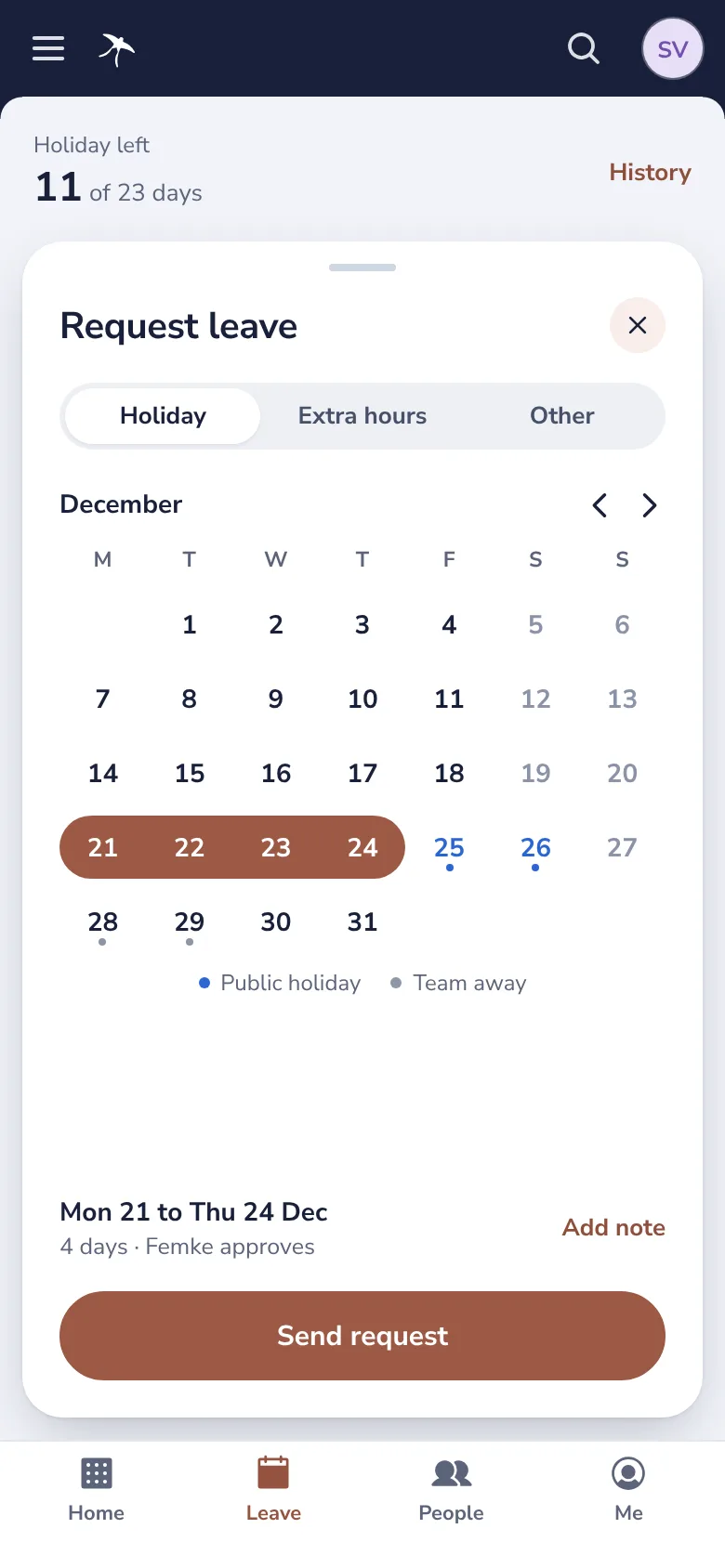
Request leave, see your pay slips and keep your own details right.
Part of your Dazr apps.
Dazr People works with what your company already uses in Dazr.
The people and the org chart come from your organisation. Accounts open on the start date and close on the last day.
Contracts, contract changes and offer letters are signed in Dazr Sign and linked to the person.
Approved leave shows in the calendar, and so do interviews, first-week meetings and 1:1s.
Rosters know who works which days and who is away, without the kind of leave.
Employee data is in your GDPR data register, with the access log and how long each kind is kept.
Message a colleague, hold interviews as calls, and new colleagues join their spaces on day one.
Built and stored in Europe.
Employee data needs more care than most. Dazr People is built for it.
Every record is stored encrypted on European infrastructure, by an Italian company, under European law.
HR, managers, the person and colleagues each see only what their role needs.
There are no ads in Dazr People, and your data is never used for advertising.
The data processing agreement is included in every company plan. More in the trust centre.
Questions and answers.
Which plan includes Dazr People?
Dazr Starter, Pro and Enterprise. Starter costs €9 per person a month, for 1 to 10 people; Pro €19, for 3 to 100 people; Enterprise €29, from 10 people, excl. VAT. Each plan also includes Mail on your company domain, Teams, Calendar, Files and Docs, Sheets and Slides. See pricing
Can a manager see why someone is sick?
No. Dazr People records only that someone is sick and since when. It never asks for a reason or a diagnosis, and refuses a sick report that carries one.
Who sees salaries and personal details?
HR and the person they belong to. A manager sees work details, leave and goals, and in a salary review only the percentage they proposed. Colleagues see the directory.
Can people see who looked at their record?
Yes. Everyone sees who viewed their own record, and HR has the full access log, kept for two years.
Where is our employee data stored?
Encrypted, in the EU, by Dazr, an Italian company. The data processing agreement is part of every company plan.
Can we export for payroll?
Yes. HR downloads salaries as a CSV file for your payroll provider. Every export is written to the access log.
Bring your people together.
Try Dazr Starter free for 14 days and add your team.
PricingA European BambooHR alternativeHR software for the GDPRLeave and sickness trackingNews on employment rules